Multi-axis operations
This page is the reference for the kinds in the Multi-axis group of the operations ribbon: 5-Axis Contour, 5-Axis Parallel, 5-Axis Flow, Multi-Axis Contour, Swarf, Advanced Swarf, Rotary Contour, Rotary Parallel, Rotary Offset and Multi-Axis Rough. For the tabs themselves and what a click picks, see that page; for what a refusal means in general, see Reading a refusal.
Lengths are in mm (inches in an inch document), feeds in mm/min (in/min), angles in degrees. The defaults below are what a freshly created operation starts with: feed 1200, plunge feed 300, climb milling on, clearance 25 above the stock top, top at the model top, bottom at the model bottom, stepdown 5, stepover 3 and tolerance 0.05. A retyped operation keeps the numbers it already had; a retype from an indexed (3+2) operation drops its tilt.
Blue shows the operation travel; dashed orange shows approach and retract; gray shows the workpiece. These schematics are not generated NC paths and have no scale.
What every multi-axis kind shares
The tool. Every kind cuts with a ball-nose. A wrong tool is refused
by name ("'
The pose: lead, lag and max tilt. Each kind carries the same three angles on its Passes tab, all 0 / 0 / 90 on a new operation:
| Setting | What it does |
|---|---|
| Tool lead angle | leans the tool with the feed, off the surface normal (off the radial for the rotary kinds) |
| Tool lag angle | leans it across the feed (side tilt) |
| Max tilt | the cone the spindle may open from the normal; where the surface asks for more, the lean folds onto the cone's edge |
The ball's centre does not move when the tool leans: the pose decides which way the spindle points, not where the cut lands, so every kind's cut is verified against the model as a swept ball, within the kind's tolerance.
Avoid shank collisions (5-Axis Contour, 5-Axis Parallel, 5-Axis Flow, Multi-Axis Contour and Multi-Axis Rough; off by default). Where the posed tool's shank would touch the part, the spindle tilts to the nearest clear angle inside the max-tilt cone; positions never move. Where no angle in the cone clears, generation stops: "the shank of the tool touches the part at move ... of the posed path, and no pose inside the max-tilt cone (... deg) clears it - widen the cone, shorten the tool, or turn shank avoidance off". With the switch off, a shank that touches is still caught by the verification at the post gate.
Pose swings happen in air. A pose change of more than 30 degrees between moves below the clearance plane is refused ("... pose swing ... deg at move ... - refused: a pose turn past 30 deg happens in air, never on a cut"); the links retract, swing and plunge instead.
The machine must reach the pose. A leaning move needs a machine with
tilting rotaries. The machine check refuses each move the mounted machine
cannot hold, by name: "move ... tilts the tool;
5-Axis Contour
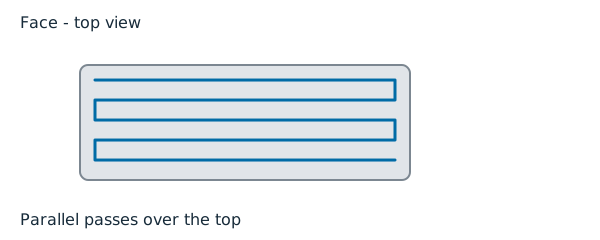

For: finishing steep walls with waterline rings, with the tool leaning off the wall. Choose it over 3D Finish's waterline when the holder or shank would rub a deep wall at a vertical pose.
Picks: none; it rings the whole model.
| Tab | Setting | Default |
|---|---|---|
| Heights | Clearance Z / Top Z / Bottom Z | Top is the first ring's plane, Bottom the last level's |
| Heights | Hop below clearance (Retract Z) | off |
| Passes | Lead / lag / max tilt | 0 / 0 / 90 |
| Passes | Avoid shank collisions | off |
| Passes | Tolerance | 0.05: levels drop by 2 x sqrt(tool radius x tolerance) |
| Feeds | Feed / Plunge feed / Climb milling | 1200 / 300 / on |
5-Axis Parallel

For: raster finishing of open, shallow-to-moderate ground with a leaning tool. Choose it over 3D Finish's parallel when a lead angle keeps the ball off its dead centre on flat-ish ground.
Picks: none; it covers the whole model.
| Tab | Setting | Default |
|---|---|---|
| Passes | Stepover | Auto: from tolerance and tool by the scallop law, times the slope's cosine |
| Passes | Lead / lag / max tilt | 0 / 0 / 90 |
| Passes | Avoid shank collisions | off |
| Passes | Tolerance | 0.05 |
| Feeds | Feed / Plunge feed / Climb milling | 1200 / 300 / on |
A stated stepover is the flat-ground spacing; on a slope it follows the terrain's cosine.
5-Axis Flow

For: the 5-Axis Parallel's lines, but following the surface's own least-curving direction instead of a straight raster. Choose it on blended, sweeping ground where straight lines cross the flow; flat ground is cut in straight passes. The settings and defaults are 5-Axis Parallel's; the direction is read from the model, not set.
Multi-Axis Contour

For: riding the ball along picked model edges wherever they stand, with a leaning tool: a chamfer or trace along a 3D edge. Choose it over the 2D Trace when the edge is not in one plane.
Picks: one or more edge chains on the Geometry tab. A new one cuts nothing until chains are picked: "multi-axis contour needs at least one picked edge chain of two distinct points".
| Tab | Setting | Default |
|---|---|---|
| Heights | Clearance Z / Top Z / Bottom Z | the machining window; a chain outside it is refused, never clipped |
| Passes | Lead / lag / max tilt | 0 / 0 / 90 |
| Passes | Avoid shank collisions | off |
| Passes | Tolerance | 0.05 (the verify budget only; it authors nothing) |
| Feeds | Feed / Plunge feed / Climb milling | 1200 / 300 / on |
Common refusals: "Multi-Axis Contour needs a ball-nose tool, '...' is a ..."; "picked chain ... stands at z ..., outside the window [..., ...]
- widen Top/Bottom of Part Z or re-pick"; "multi-axis contour found no model to ride".
Swarf

For: finishing ruled flanks (surfaces straight in one direction, such as a drafted wall) with passes along the ruling. Choose it on ruled walls; doubly-curved ground is 5-Axis Parallel work.
Picks: none; the ruling is read off the model.
| Tab | Setting | Default |
|---|---|---|
| Heights | Clearance Z / Top Z / Bottom Z | Top is the first line's plane, Bottom the last one's |
| Passes | Stepover | Auto: by the scallop law, across the ruling |
| Passes | Lead / lag / max tilt | 0 / 0 / 90 |
| Passes | Tolerance | 0.05 |
| Feeds | Feed / Plunge feed / Climb milling | 1200 / 300 / on |
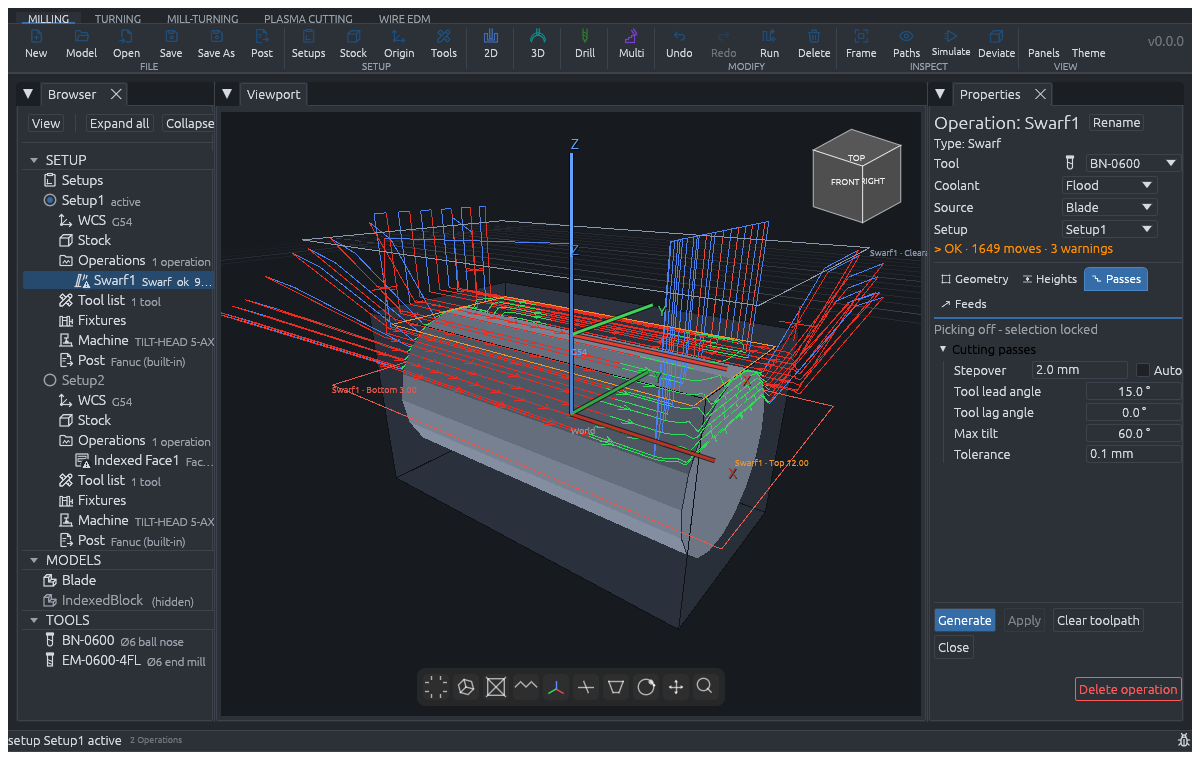
Unsafe example — do not post or machine. In
examples/guide-multiaxis.camproj, Swarf1 has 897 shank-hit warnings
(the shank or holder intersects material), 9 rapid-in-stock warnings
(rapid moves enter remaining material), and 2 sweep-hit warnings
(the tool assembly intersects material during a pose change). The red paths
show this unsafe state; this is not a verified swarf recipe.
Before using this setup, rough away interfering stock and select a tool
assembly with enough reach to clear the part. Correct the lead/lag or split
and reorient the passes where the assembly cannot clear the flank. Set
clearance and retract heights so rapid moves and pose changes happen clear
of the remaining stock, part and fixtures. Regenerate the toolpath and verify
the corrected operation with no shank-hit, rapid-in-stock, sweep-hit or gouge
warnings before posting or machining. A posed program reported as "not judged"
by stock simulation is not a safety pass; see
Checks.
Common refusals: "swarf found no ruling to follow - this surface curves about the same in every direction; doubly-curved ground is 5-Axis Parallel or Scallop work"; "this model's ruling runs along Z (vertical walls): its flanks belong to the waterline rings, which is 5-Axis Contour work"; "the ruling turns across the region - no single straight pass direction follows it; split the ruled faces or finish with 5-Axis Parallel"; "the mesh is too coarse for the ruling to be seen anywhere: refine it or finish with 5-Axis Parallel".
Advanced Swarf

For: Swarf run coarse to fine. Each rough pass relaxes the tolerance fourfold and doubles the spacing; the last pass cuts to the stated tolerance. Choose it over Swarf when one pass would take too much at once.
Settings as Swarf, plus Pass count on the Passes tab: 2 on a new operation, 1 to 4 (the panel clamps it). Refusals as Swarf.
Rotary Contour

For: finishing a turned workpiece in rings around its axis, the tool posed off the radial. The axis is fitted to the model, not set. Choose it for a part standing on its axis; a bar lying flat is Rotary Parallel work.
Picks: none.
| Tab | Setting | Default |
|---|---|---|
| Heights | Clearance Z / Top Z / Bottom Z | mapped onto stations along the fitted axis: Top where the run starts, Bottom where it ends |
| Passes | Lead / lag / max tilt | 0 / 0 / 90, off the radial |
| Passes | Tolerance | 0.05: stations drop by the scallop law |
| Feeds | Feed / Plunge feed / Climb milling | 1200 / 300 / on |
Common refusals: "the model's normals share no rotation axis - a turned workpiece is rotary work; finish a freeform with the 5-Axis kinds"; "every axis fits this model equally - it curves the same the world around; domed ground is 5-Axis Contour or Parallel work"; "the work's axis lies flat on the table - a laid bar is finished with passes along it: Rotary Parallel".
Rotary Parallel

For: finishing a turned bar with passes along its fitted axis, spaced around the turn. Choose it for a bar lying on the table.
Settings as Rotary Contour, plus Stepover (Auto: by the scallop law, around the turn; a stated value is the spacing around the turn). Its heights are read as radii about the bar's axis.
Common refusals: "the work stands on its axis - passes along a standing bar are its rings: Rotary Contour"; "Rotary Parallel reads its ... height as a radius about the bar's axis: ... mm does not clear the work's ... mm radius - raise it".
Rotary Offset

For: roughing a turned bar by wrapping: each level peels a radial infeed off the skin, the passes spaced around the bar. Choose it to rough before Rotary Contour or Rotary Parallel.
| Tab | Setting | Default |
|---|---|---|
| Heights | Clearance Z / Top Z / Bottom Z | stations along the fitted axis; the ladder roughs only between them |
| Heights | Stepdown (radial) | 5 |
| Passes | Stepover | 3, in developed arc length around the bar |
| Passes | Stock to leave | 0 |
| Passes | Strategy | Auto (Zigzag, Waterline, Adaptive, Offset rings) |
| Passes | Lead / lag / max tilt | 0 / 0 / 90 |
| Passes | Tolerance | 0.05 (the verify budget) |
| Lead in / Lead out | Entry | Plunge, down the radial |
Common refusals: "the rotary wrap needs a closed solid, but the mesh is open: ... edges bound one facet only (a hole in the skin)"; "a feature that is not turned (a flat, a keyway, a cross hole) crosses the rotary wrap's seam ..."; "the wrapped work has no radial extent to rough"; "the height window leaves no station of the work to rough".
Multi-Axis Rough

For: the 3D Pocket's level-by-level roughing, move for move, with the spindle posed where a wall or corner needs it and vertical where a floor does not ask. Choose it over 3D Pocket when the shank or holder would reach a deep wall at a vertical pose.
Picks: none; it roughs around the whole model. Like a whole-model 3D Pocket, it clears out to the stock outline, including stock far from the silhouette, and extends across open notch mouths without leaving a tool-radius ridge. Other parts remain protected by the same checks.
| Tab | Setting | Default |
|---|---|---|
| Heights | Stepdown | 5 |
| Passes | Stepover / Stock to leave | 3 / 0 |
| Passes | Strategy | Auto (Zigzag, Waterline, Adaptive, Offset rings) |
| Passes | Lead / lag / max tilt | 0 / 0 / 90 |
| Passes | Avoid shank collisions | off |
| Passes | Tolerance | 0.05 (the verify budget) |
| Lead in / Lead out | Entry | Plunge |
Its refusals are the 3D Pocket's, plus the pose checks above.